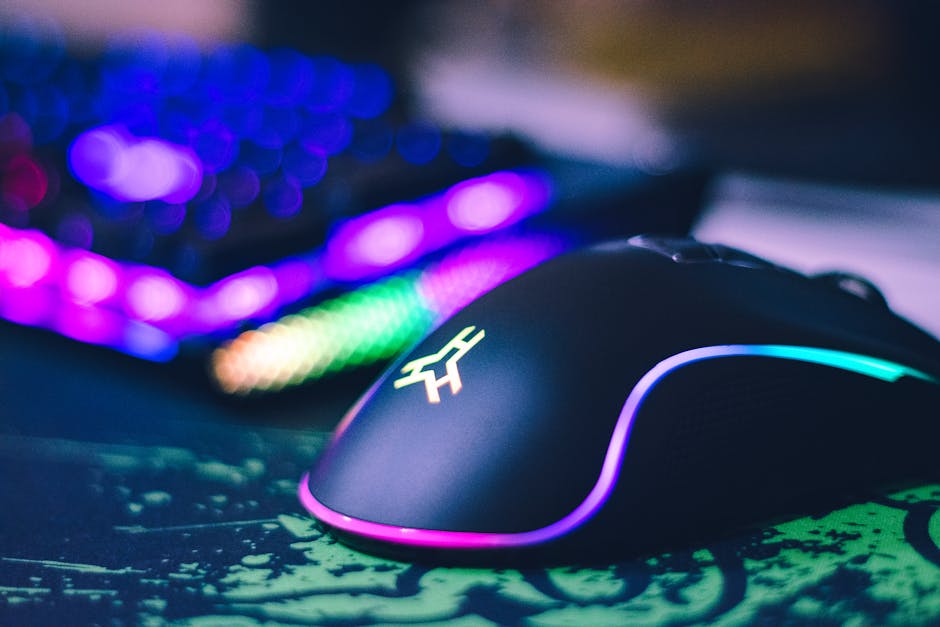

If you’ve ever lost a match and thought, “If only I had better gear,” you’re not alone. The gaming industry is built on that feeling. Flashy RGB. “Pro-grade” labels. Limited editions. It’s easy to believe the right mouse, keyboard, or headset will instantly level you up.
Sometimes it will. Most of the time, it won’t.
This guide breaks down how to choose gaming gear that actually improves your play—not just your setup’s aesthetics. No hype. No brand worship. Just practical decisions that make you faster, more consistent, and more comfortable over long sessions.
Start With the Real Question: What’s Holding You Back?
Before buying anything, diagnose the problem.
Are you missing shots because your mouse sensor skips? Or because your crosshair placement is bad? Are you losing audio cues because your headset is weak? Or because your game sense needs work?
Good gaming gear solves physical limitations, not skill gaps.
Ask yourself:
- Do I feel input delay?
- Does my mouse feel inconsistent?
- Do I get hand or wrist fatigue?
- Can I clearly hear directional audio?
- Is my monitor limiting my reaction time?
If the answer is yes to any of those, gear can help. If not, practice probably matters more.
Mouse: The Most Important Upgrade for Competitive Play
If you’re serious about FPS or competitive gaming, your mouse is priority one.
What Actually Matters
- Sensor quality – Modern top-tier sensors (PixArt 3360, 3389, 3395 and equivalents) track 1:1 without acceleration or jitter.
- Weight – Lighter mice (50–70g) reduce fatigue and improve micro-adjustments.
- Shape – More important than brand. Your grip style (palm, claw, fingertip) should dictate your choice.
- Polling rate – 1000Hz is standard. 4000Hz+ only matters if your system and game support it.
What Doesn’t Matter (Much)
- Extreme DPI numbers (you don’t need 26,000 DPI)
- RGB lighting
- “Esports edition” branding
Spartan truth: A lightweight mouse with a top-tier sensor and a shape that fits your hand will improve your aim consistency. A heavy, flashy mouse with bad ergonomics will not.
Mousepad: The Underrated Performance Multiplier
Most players overlook this. Big mistake.
Your mousepad affects glide, stopping power, and control. That directly impacts flicks and tracking.
Choose Based on Playstyle
- Control pads – More friction. Better for precise aim and tactical shooters (CS2, Valorant).
- Speed pads – Less friction. Good for tracking-heavy games (Apex, Overwatch).
- Hybrid pads – Balanced performance.
Also: get a large pad. Low-sensitivity players need room. Running out of space mid-fight is unacceptable.
This is one of the cheapest upgrades that can actually improve your performance immediately.
Keyboard: Feel Over Flash
A keyboard won’t magically improve your aim. But it can improve movement, comfort, and reaction consistency.
Focus On:
- Switch type – Linear switches are popular for gaming (smooth, consistent keystrokes).
- Actuation force – Lighter switches reduce fatigue.
- Build quality – Stable frame, minimal key wobble.
- Polling rate – 1000Hz is ideal.
Mechanical and optical keyboards both work well. Hall effect keyboards with adjustable actuation are growing in popularity for competitive gaming because they allow faster key resets.
What’s Mostly Marketing
- Extreme RGB customization
- Dedicated macro armies (unless you play MMOs)
- “Aircraft-grade aluminum” hype
Simple. Solid. Reliable. That’s what improves play.
Monitor: Reaction Time Lives Here
If you’re still gaming on 60Hz, this is likely your biggest bottleneck.
Upgrading to 144Hz, 240Hz, or even 360Hz can significantly improve motion clarity and perceived smoothness.
What to Look For
- Refresh rate – 144Hz minimum for competitive play.
- Low response time – 1ms GtG or equivalent.
- Low input lag
- Adaptive sync (G-Sync/FreeSync)
Higher refresh rates don’t make you skilled. They reduce motion blur and make tracking smoother. That can improve consistency.
Spartan reality: If your PC can’t push high FPS, a 360Hz monitor won’t help. Match your monitor to your system.
Headset: Sound Is Information
In competitive games, audio equals awareness.
Footsteps. Reloads. Ability cues. Direction matters.
What Actually Improves Performance
- Clear directional imaging
- Balanced sound profile (not overboosted bass)
- Comfort for long sessions
- Good microphone clarity for team communication
You don’t need “7.1 surround.” Many pros use stereo headsets because accurate stereo imaging is enough.
If you’re serious, consider a quality headset or even studio headphones plus a standalone mic.
Controller Players: Precision Matters Too
If you play on controller, your gear decisions still matter.
Look For:
- Low input latency
- Back paddles (for jump, crouch, reload without thumb movement)
- Adjustable trigger stops
- Comfortable grip texture
Elite or pro-style controllers can genuinely improve performance because they reduce finger movement and increase reaction efficiency.
That’s not cosmetic. That’s mechanical advantage.
Comfort Is Performance
This part gets ignored. It shouldn’t.
If your wrist hurts, your back aches, or your hands sweat excessively, your performance drops over time.
Consider:
- Ergonomic chair
- Desk height alignment
- Arm support
- Proper posture
You can’t aim well when you’re uncomfortable. End of story.
Wired vs Wireless: Does It Matter?
Five years ago, wired was king. Today, high-end wireless gear is nearly indistinguishable in latency.
Modern wireless mice and headsets often perform at or near wired levels.
Choose based on:
- Latency specs
- Battery life
- Charging convenience
- Weight differences
If wireless reduces cable drag and improves your comfort, it may actually improve your play.
Upgrade Order: If You’re On a Budget
Want maximum performance per dollar? Follow this order:
- High refresh rate monitor (if on 60Hz)
- Quality lightweight mouse
- Large, good mousepad
- Comfortable headset
- Mechanical or Hall effect keyboard
Notice what’s missing? RGB strips. Decorative extras. “Limited editions.”
Function first. Always.
Don’t Copy Pros Blindly
Yes, pro player setups are interesting. No, they are not universal solutions.
Pros choose gear based on:
- Sponsorships
- Personal preference
- Years of habit
Your hand size, grip style, sensitivity, and posture are different.
Use pro setups as references, not commandments.
The Law of Diminishing Returns
Going from a $10 office mouse to a $70 gaming mouse? Big jump.
Going from a $70 mouse to a $180 limited-edition magnesium ultralight? Small difference.
High-end gear gives incremental gains. Skill, practice, and consistency still dominate outcomes.
Spartan reminder: Gear amplifies skill. It doesn’t replace it.
Test Before You Commit (If Possible)
If you can:
- Visit a store and test shapes
- Borrow from friends
- Read long-term reviews, not just launch hype
Short-term impressions can mislead. Comfort and consistency show over weeks, not minutes.
Marketing vs Measurable Performance
When evaluating gaming gear, ask:
- Does this reduce input delay?
- Does this improve tracking accuracy?
- Does this reduce fatigue?
- Does this improve information clarity (audio/visual)?
If the answer is no, it’s probably cosmetic.
And cosmetics don’t win ranked matches.
Final Thoughts: Build for Consistency
The best gaming gear setup is not the most expensive. It’s the most consistent.
Consistent tracking. Consistent movement. Consistent comfort. Consistent performance over long sessions.
Choose gear that:
- Fits your body
- Matches your game
- Removes technical limitations
- Supports long-term comfort
Strip away the hype. Ignore the flashing lights. Focus on performance fundamentals.
Because at the end of the day, the gear doesn’t win the match.
You do.