
If you’re serious about gaming, your desk setup isn’t just furniture. It’s your command center. Your edge. Your battleground. A weak setup slows you down. A dialed-in setup sharpens your focus, boosts comfort, and keeps you locked in for hours. Below are the must have gaming desk setup essentials that separate casual players from committed gamers.
1. A Solid Gaming Desk (The Foundation)
Your desk is ground zero. Everything sits on it. Everything depends on it. If it wobbles, squeaks, or lacks space, your whole setup suffers.
What to Look For:
- Sturdy frame: Steel legs or reinforced wood. No shaking during intense matches.
- Enough surface area: Room for dual monitors, keyboard, mouse, and extras.
- Cable management holes: Clean setup. No spaghetti mess.
- Ergonomic height: Your forearms should rest parallel to the floor.
Pro tip: If you want flexibility, consider a height-adjustable desk. Sitting for long hours wrecks posture. Standing between matches helps circulation and focus.
Bottom line: Don’t cheap out here. The desk is your base of operations.
2. Ergonomic Gaming Chair (Protect Your Back)
You can’t dominate if your back is screaming. A proper gaming chair isn’t about flashy colors. It’s about support.
Key Features:
- Lumbar support: Built-in or adjustable cushion.
- Adjustable armrests: Keep shoulders relaxed.
- Recline function: Lean back between rounds.
- High-density foam: Holds shape over time.
Look for ergonomic certification if possible. Your spine will thank you. Long gaming sessions demand comfort. No excuses.
3. High-Performance Gaming Monitor
Your monitor defines what you see and how fast you react. In competitive gaming, milliseconds matter.
Must-Have Specs:
- Refresh rate: 144Hz minimum. 240Hz if you’re competitive.
- Response time: 1ms is ideal.
- Resolution: 1080p for speed. 1440p for balance. 4K for visuals.
- Adaptive sync: G-Sync or FreeSync to eliminate screen tearing.
Consider a dual-monitor setup. One for gameplay. One for Discord, streaming tools, or guides. Clean. Efficient. Tactical.
4. Mechanical Gaming Keyboard
A mushy keyboard kills precision. Mechanical keyboards deliver speed, accuracy, and durability.
Why Mechanical?
- Faster actuation: Quicker response time.
- Tactile feedback: Feel every keypress.
- Durability: 50+ million keystrokes.
- Customization: Switch types and RGB lighting.
Choose your switch type wisely. Linear for smooth presses. Tactile for feedback. Clicky for that loud, satisfying snap.
Keep it simple. Performance first. Flash second.
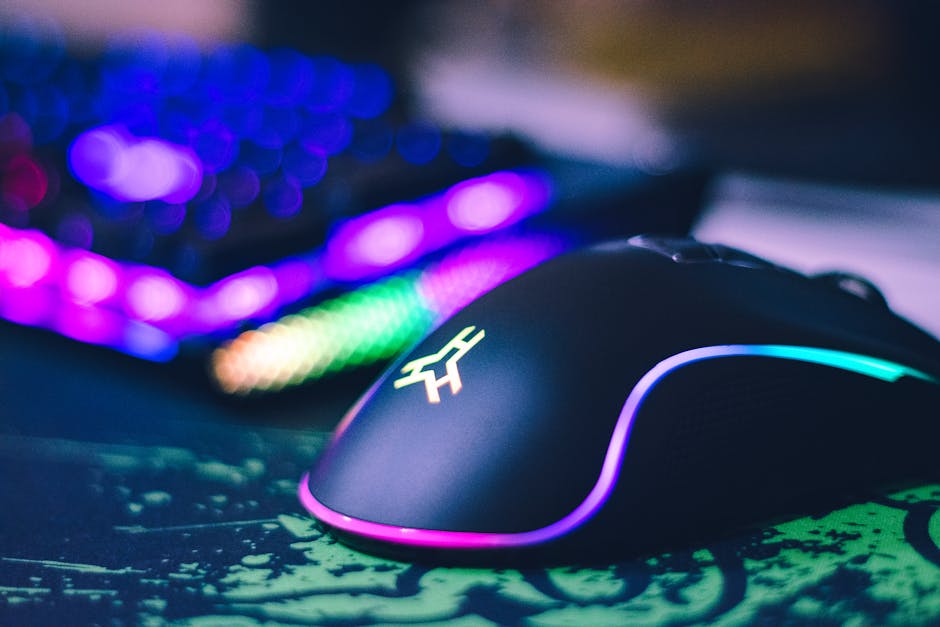
5. Precision Gaming Mouse
Your mouse is your weapon. It needs to be fast, accurate, and comfortable.
Essential Features:
- High DPI sensor: Adjustable up to at least 12,000 DPI.
- Low latency: Wired or high-quality wireless.
- Programmable buttons: Map macros and shortcuts.
- Ergonomic grip: Palm, claw, or fingertip style.
Weight matters. Some gamers prefer ultra-light mice for FPS games. Others want heavier builds for control. Test what fits your style.
No lag. No delay. Just precision.
6. Large Gaming Mouse Pad
Underrated. Critical.
A large mouse pad gives you consistent tracking and room for wide movements. Especially important for low-sensitivity players.
What to Consider:
- Extended size: Covers keyboard and mouse area.
- Non-slip rubber base: Stays locked in place.
- Smooth surface: Optimized for your mouse sensor.
It also protects your desk and ties the whole aesthetic together. Clean surface. Clean movement.
7. Quality Gaming Headset or Headphones
Sound is intel. Footsteps. Reloads. Distant shots. If you can’t hear clearly, you’re already behind.
Look For:
- Surround sound: 7.1 virtual surround for positional awareness.
- Noise isolation: Block distractions.
- Comfortable ear cushions: Long-session ready.
- Clear microphone: Crisp team communication.
If you want premium audio, pair studio headphones with a dedicated USB or XLR microphone. More control. Better sound. Serious setup.
8. Dedicated Microphone (For Streamers and Competitive Players)
If you stream or play ranked with a team, communication is everything.
A standalone microphone delivers clearer audio than most headset mics.
Recommended Features:
- Cardioid pickup pattern: Focuses on your voice.
- Pop filter: Reduces harsh sounds.
- Boom arm: Keeps desk space clear.
Clear voice. No static. No echo. Professional presence.
9. Proper Lighting Setup
Lighting changes everything. It reduces eye strain and elevates your gaming desk aesthetic.
Essential Lighting Elements:
- Monitor light bar: Reduces glare and eye fatigue.
- RGB LED strips: Ambient backlighting behind desk or monitor.
- Smart bulbs: Adjust brightness and color temperature.
Soft bias lighting behind your monitor reduces contrast strain during night sessions. Simple fix. Big impact.
10. Cable Management System
Messy cables kill the vibe. They also collect dust and cause frustration.
Must-Have Tools:
- Cable trays: Mounted under the desk.
- Velcro straps: Bundle wires cleanly.
- Cable sleeves: Hide multiple cords in one wrap.
Clean desk. Clear mind. Focus stays on the game.
11. Controller Stand and Headset Holder
Small detail. Big difference.
Accessories scattered across your desk create clutter. A headset stand and controller dock keep everything organized and within reach.
Some stands even include USB hubs or charging ports. Efficient. Tactical.
12. Reliable Power Strip and Surge Protector
Your gaming setup isn’t cheap. Protect it.
A high-quality surge protector shields your PC, monitors, and consoles from voltage spikes.
Look For:
- High joule rating: Better protection.
- Multiple outlets: Room to expand.
- USB ports: Charge peripherals easily.
One power surge can wipe out thousands of dollars. Not worth the risk.
13. External Storage Solutions
Modern games are massive. 100GB+ is normal.
An external SSD or high-speed HDD keeps your system lean and your load times fast.
Benefits:
- Extra storage for large libraries.
- Portable game backups.
- Faster load times with SSD options.
Storage equals freedom. No deleting games every week.
14. Personal Touches (Make It Yours)
This is your arena. Customize it.
- Wall art or posters from your favorite games.
- Figurines or collectibles.
- Minimalist plants for contrast.
- Acoustic foam panels for better sound control.
Keep it intentional. Not cluttered. Every item should earn its place.
15. Clean Air and Cooling
Heat builds up fast. PCs run hot. Rooms get stuffy.
Add a small fan or improve room ventilation. If you’re serious, consider an air purifier to reduce dust buildup inside your PC.
Cool environment. Cool hardware. Better performance.
Final Thoughts: Build Smart. Play Hard.
A powerful gaming desk setup isn’t about showing off. It’s about performance, comfort, and consistency.
Start with the essentials:
- Sturdy desk
- Ergonomic chair
- High-refresh monitor
- Mechanical keyboard
- Precision mouse
Then level up with lighting, audio, cable management, and storage.
Keep it clean. Keep it functional. Upgrade with purpose.
Your setup should work for you—not against you.
Now tighten the cables. Adjust the chair. Lock in.
Game on.