
Upgrading your gaming setup doesn’t have to mean draining your bank account. Too many gamers chase every new GPU launch, every RGB accessory, every “must-have” peripheral—only to realize later they spent hundreds for barely noticeable gains. That’s not strategy. That’s impulse.
If you want better performance, smoother gameplay, and a cleaner setup without wasting money, you need a plan. This guide breaks down exactly how to upgrade your gaming setup smartly—focusing on real performance gains, long-term value, and avoiding the hype traps.
Start With a Performance Audit (Not a Shopping Cart)
Before you buy anything, figure out what’s actually holding you back.
Ask yourself:
- Are you getting low FPS in specific games?
- Are load times painfully slow?
- Does your system stutter during multitasking or streaming?
- Is your monitor limiting what your GPU can output?
Run performance monitoring tools like MSI Afterburner, HWMonitor, or built-in game benchmarks. Look at CPU usage, GPU usage, RAM consumption, and temperatures. If your GPU is at 99% while your CPU is chilling at 40%, your graphics card is the bottleneck. If RAM is maxed out, that’s your clue.
Don’t guess. Measure. Then act.
Upgrade for Bottlenecks, Not Bragging Rights
The biggest money-waster in gaming upgrades? Buying parts you don’t actually need.
1. GPU Upgrades: Only If It Truly Matters
Your graphics card has the biggest impact on gaming performance. But upgrading from one high-end GPU to another for a 10–15% gain is rarely worth it.
Upgrade your GPU if:
- You can’t hit stable 60 FPS at your desired settings
- You’re moving to 1440p or 4K resolution
- You’re switching to high refresh rate gaming (144Hz+)
Skip the upgrade if your current GPU already handles your games at your target resolution and frame rate. Ultra settings are nice. Financial discipline is better.
2. RAM: The Most Overlooked Cheap Upgrade
If you’re still on 8GB of RAM, upgrading to 16GB is one of the best budget improvements you can make. For multitasking, streaming, and modern AAA titles, 16GB is the practical minimum.
Moving from 16GB to 32GB? Only do it if you edit video, stream heavily, or run memory-hungry applications. Otherwise, that money is better spent elsewhere.
3. SSD: The Upgrade You’ll Feel Immediately
If you’re still gaming on a traditional HDD, stop reading and upgrade to an SSD.
An SSD won’t increase your FPS, but it will:
- Cut load times dramatically
- Speed up boot times
- Improve overall system responsiveness
NVMe drives are faster than SATA SSDs, but for gaming alone, the difference is small. Don’t overspend chasing benchmark numbers you’ll barely notice.
Monitor Upgrades: The Hidden Performance Multiplier
Here’s something many gamers ignore: your monitor might be your biggest limitation.
If you’re running a powerful GPU on a 1080p 60Hz monitor, you’re wasting potential.
When to Upgrade Your Monitor
- Moving from 60Hz to 144Hz (massive smoothness boost)
- Upgrading from 1080p to 1440p for sharper visuals
- Switching to an IPS panel for better colors
A 144Hz monitor is one of the most noticeable gaming upgrades you can make. The jump from 60Hz to 144Hz feels dramatic. The jump from 144Hz to 240Hz? Much less so for most players.
Be strategic. Buy for your hardware. Don’t buy a 240Hz display if your system can’t push 240 FPS.
Peripherals: Where Smart Spending Wins
Peripherals can improve your gaming experience—but they’re also a money pit if you’re not careful.
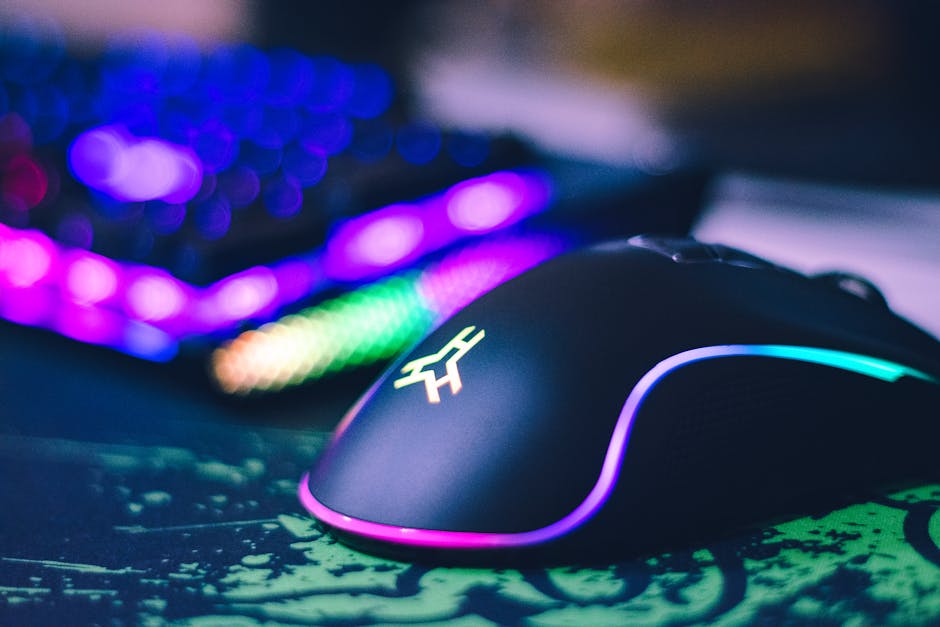
Gaming Mouse
You don’t need a $200 mouse. You need one that:
- Fits your hand comfortably
- Has a reliable sensor
- Matches your grip style (palm, claw, fingertip)
Comfort and consistency beat flashy RGB every time.
Mechanical Keyboard
A good mechanical keyboard can last years. Focus on:
- Switch type (linear, tactile, clicky)
- Build quality
- Stability and durability
Custom keycaps and premium aluminum frames are nice—but not necessary for performance.
Headset or Audio Upgrade
Competitive games reward good audio. Hearing footsteps clearly can change outcomes.
Instead of overspending on a “gaming” headset, consider:
- A quality pair of studio headphones
- A separate USB or XLR microphone
You often get better sound quality for the same price.
Don’t Ignore Cooling and Airflow
Overheating kills performance. Thermal throttling is silent and brutal.
Before upgrading expensive parts, check your temperatures under load.
Simple, cost-effective improvements include:
- Adding case fans
- Reapplying thermal paste
- Improving cable management
- Cleaning dust buildup
Sometimes a $20 fan upgrade can unlock performance you already paid for.
Buy Used—But Buy Smart
The second-hand market can save you hundreds—if you’re careful.
Good Used Buys
- GPUs (if tested and verified)
- CPUs
- Cases
- Air coolers
Avoid Buying Used
- Power supplies (too risky)
- Storage drives (unknown wear)
- Heavily worn peripherals
Always ask for stress test results, proof of functionality, and original receipts if possible. Patience wins deals.
Stop Chasing “Future-Proofing”
Future-proofing is one of the biggest myths in PC gaming.
Technology moves fast. Spending double today to “prepare for five years from now” rarely works out. By the time you need that extra power, newer and cheaper options will exist.
Instead:
- Buy for your current needs
- Leave room for moderate upgrades
- Avoid extreme overspending
Smart upgrades beat speculative spending.
RGB and Aesthetics: Set a Budget Cap
There’s nothing wrong with wanting a clean, beautiful gaming setup. But aesthetics should never sabotage performance.
If your choice is:
- Better GPU
- Or synchronized RGB everything
You know the answer.
Set a strict percentage of your budget—maybe 10–15%—for aesthetics. That keeps things sharp without sacrificing performance.
Upgrade in Phases, Not All at Once
You don’t need to overhaul your entire setup in one go.
Phase your upgrades:
- Fix bottlenecks first
- Improve refresh rate and display quality
- Enhance comfort (chair, desk, peripherals)
- Refine aesthetics last
This approach spreads costs over time and ensures each purchase delivers noticeable value.
Comfort Is a Performance Upgrade
Here’s something rarely discussed: ergonomics matter.
If you’re uncomfortable, you won’t perform well—especially in long gaming sessions.
Consider upgrading:
- Your chair (lumbar support matters)
- Your desk height
- Your monitor positioning (eye level alignment)
This isn’t flashy. It’s practical. And it pays off every session.
Know When Not to Upgrade
Sometimes the smartest move is doing nothing.
If your system runs your favorite games smoothly and you’re happy with the visuals, you don’t need an upgrade. Marketing will try to convince you otherwise. Ignore it.
Performance gains should be meaningful. If you won’t feel it during gameplay, save your money.
Final Strategy: Upgrade With Intent
Upgrading your gaming setup without wasting money comes down to discipline and clarity.
Here’s the Spartan rule set:
- Measure before you buy
- Fix bottlenecks first
- Prioritize performance over aesthetics
- Upgrade in phases
- Avoid hype-driven purchases
Casual reminder: you’re building a setup to enjoy games—not to impress strangers online.
Smart upgrades feel good because they make a real difference. Wasteful upgrades feel good for about a week—then they’re just expensive decorations.
Build with intention. Spend with purpose. Play without regret.
That’s how you upgrade your gaming setup the right way.